

Strategy & Measurement9 min read
How to Set Up an AI Receptionist: DIY vs Managed
Three ways to set up an AI receptionist for a UK business: a ready-made app, your own build on a voice platform, or a managed service. Real costs in pounds, eight setup steps and the UK GDPR rules to follow.
- Written by
- Melissa Cross
- Published
If your calls go to voicemail every time you are up a ladder or with a patient, you have probably wondered how to set up an AI receptionist, and whether you could do it yourself. You can. For plenty of small businesses it is the right move.
We build and manage AI receptionists for UK businesses, and we still send some people away to try a cheap app first. For them, it is the better deal. Below are the three routes, with UK costs and the rules you need to follow.
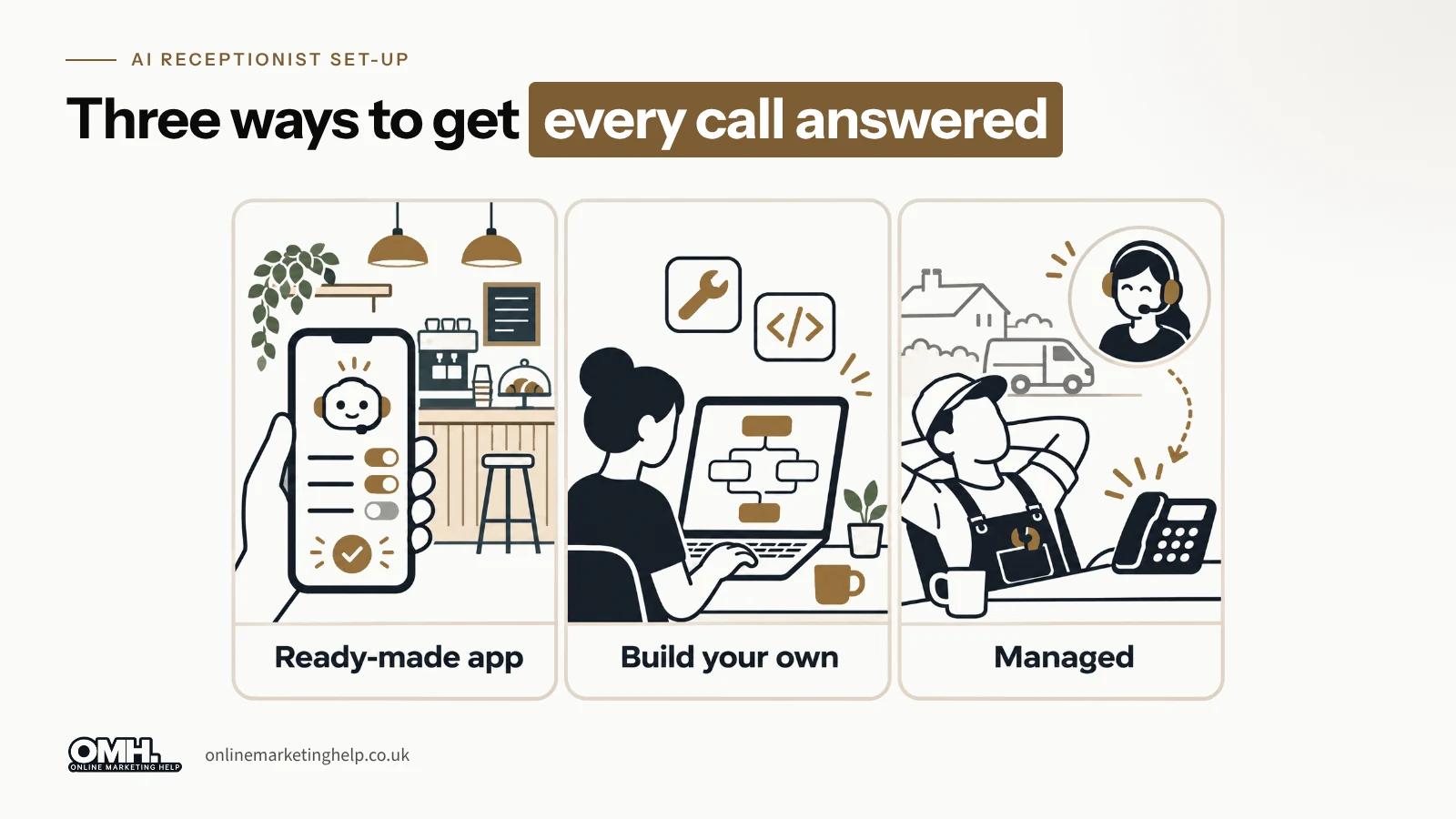
Quick answer: You can set up an AI receptionist in three ways: configure a ready-made app yourself, build your own agent on a voice platform such as Retell or Vapi, or pay for a managed service that someone else builds and looks after.
Building your own is usually cheapest per minute and gives you the most control, but you own the testing, the fixes and the UK GDPR paperwork. Managed costs more and suits businesses where one badly handled call loses real money. For most small firms, we would start with an app and only move up if it struggles.
Why are UK businesses setting up AI receptionists in 2026?
Staff cost more again this April, and the software keeps getting cheaper. These are the numbers behind that.
- 35% of UK businesses with 10 or more staff used at least one AI technology in June 2026, according to the ONS Business Insights and Conditions Survey, published 20 July 2026
- £12.71 an hour is the National Living Wage for workers aged 21 and over from 1 April 2026, up 4.1% according to gov.uk
- 15% employer National Insurance applies to pay above £417 a month in 2026/27, according to HMRC's rates and thresholds for employers on gov.uk
- About 4p a minute is the platform fee on two popular build-your-own tools: about 3.8p on Vapi and 4.1p on Retell, checked on 10 November 2026 and converted from US dollars at the Wise mid-market rate, before the voice, model and phone line are added
One figure you will not find here is how many UK callers hang up and ring a competitor. There is no reliable independent number, and the ones quoted online come from companies selling answering services. Your own call log is better evidence, and it costs nothing to check.
What is an AI receptionist, and how does it work?
An AI receptionist is software that answers your phone, talks to the caller in a natural voice, and then does something useful: books an appointment, takes a message, answers a question or puts the call through to a person. There are five moving parts.
- A phone number, either a new one or your existing number forwarding to it
- Speech to text, which turns what the caller says into words
- A language model, which reads those words alongside your instructions and decides what to say
- Text to speech, which reads the reply back in a voice you choose
- Tools, the connections to your calendar, CRM, email or a transfer line
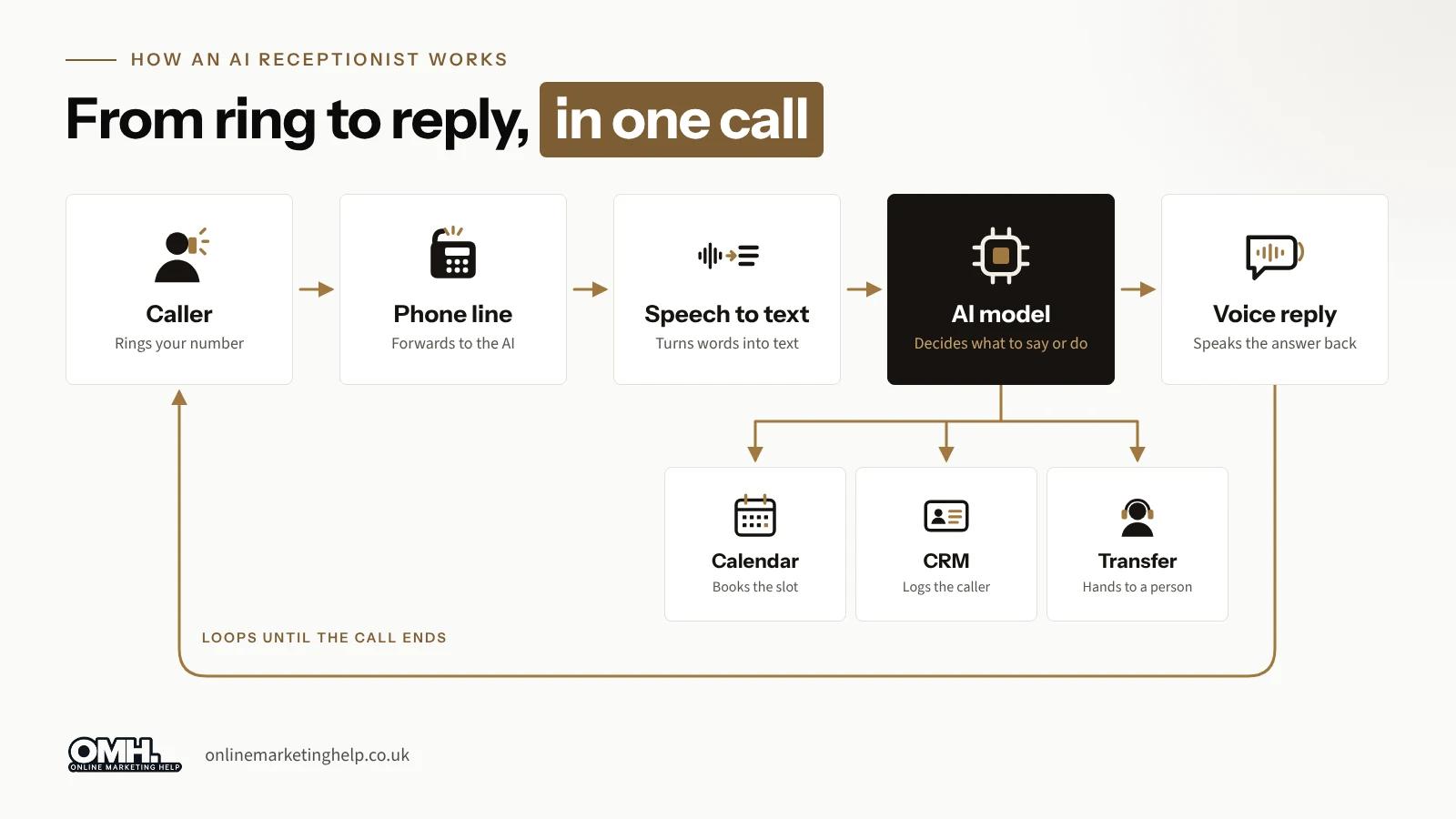
In practice, a caller rings at 7.40pm asking whether you can fit in a boiler service next week. The receptionist checks your calendar, offers Tuesday or Thursday morning, books Thursday, and texts you a summary with the caller's name, address and number. Nobody hit voicemail.
What can an AI receptionist do, and what can it not?
In our experience it is good at the dull, repetitive middle of your phone traffic and poor at the edges.
What it handles well
- Answering every call at any hour, including several at once
- Opening hours, location, parking, services and other questions your website already answers
- Booking, moving and cancelling appointments in a connected calendar
- Taking a clean message and sending it to the right person straight away
What still needs a person
- Upset or vulnerable callers. It can be polite, but it cannot judge when someone needs a human now
- Anything that needs a professional opinion: a diagnosis, legal advice, a firm quote for non-standard work
- Questions you never wrote down. If the answer is not in its instructions, it should hand over, and a badly built one will guess
- Poor lines and heavy background noise, which still trip up speech to text
- Your judgement on exceptions, discounts and favours
Should you build an AI receptionist yourself or use a managed service?
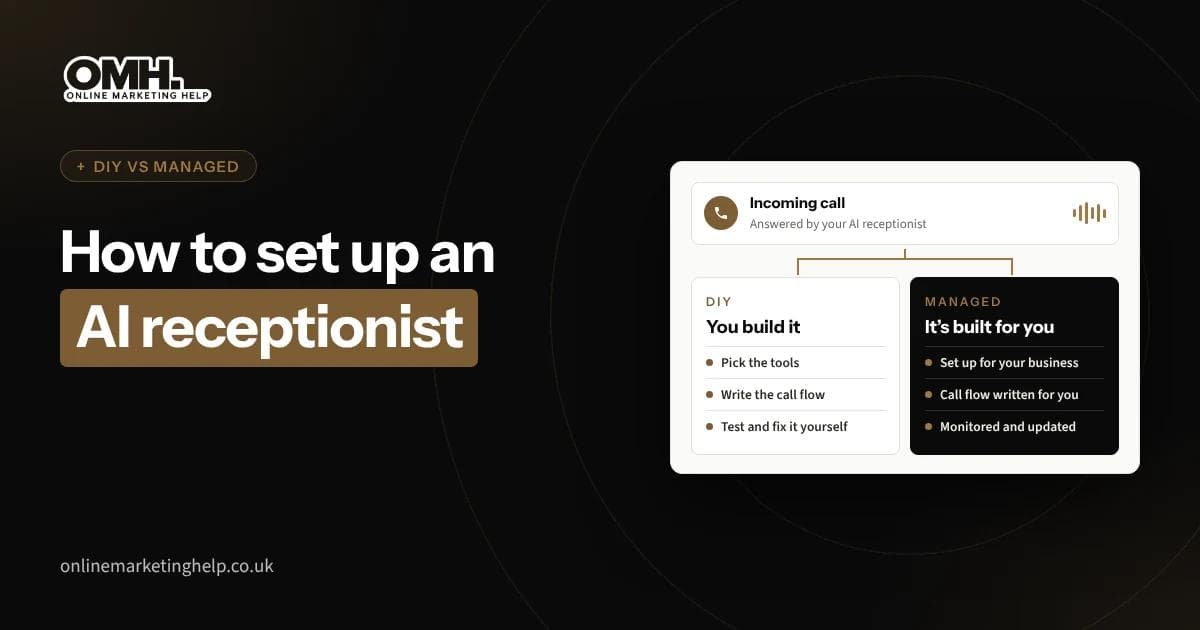
For a typical small business, start with a ready-made app. Build your own if your calls are simple and you enjoy tinkering. Go managed if the phone drives your revenue and you have no time to look after it.
We sell the managed option, so we have put our own column in the table below and kept it as factual as the others. It loses on price, and it should.
| Ready-made app | Build your own on a voice platform | Managed service (including OMH) | |
|---|---|---|---|
| Who it suits | Sole traders with simple calls | Businesses with someone technical | Owners with no time to build or maintain |
| Time to go live | Hours | Days to weeks, mostly testing | Working days |
| How you pay | Monthly subscription | Per minute, plus your time | Setup fee and monthly plan |
| Control of script and voice | Limited to the app settings | Full | Full, but you ask rather than edit |
| Calendar and CRM links | The popular ones | Anything with an API, if you build it | Built and tested for you |
| Who fixes it when it breaks | You, with vendor support | You | The provider |
| UK GDPR paperwork | You | You | Shared, check the contract |
| Main weakness | Generic, struggles with unusual calls | Your time, and nobody watching quality | Costs the most of the three |
What about money? Our own calculation on 10 November 2026, using Retell's and Twilio's published prices, puts a DIY build at under £100 a month in usage for around 400 calls. A full-time receptionist on the National Living Wage costs more than £2,300 a month once employer National Insurance and the minimum pension contribution are added. The hidden cost of DIY is your time. We break the numbers down line by line in our guide to how much an AI receptionist costs in the UK.
If you are still choosing a provider, our comparison of the best AI receptionist options in the UK looks at five you can sign up for today.
How to create an AI receptionist, step by step
These steps work for any route. With a managed service, the provider handles steps 4 to 7.
- List the calls you actually get. Go through a week of call logs and voicemails. Done well, you have five to ten call types and what should happen with each.
- Decide what it must never do. Quote for custom work, give medical or legal advice, promise callback times. Write these as rules, with when to transfer to a person.
- Choose your route. Use the table above. If nobody will review transcripts weekly, do not build your own.
- Sort out the phone number. Most businesses forward their existing number on no answer, busy or out of hours.
- Write the instructions and the knowledge base. Start with an opening line that says it is an AI assistant, then your hours, services, areas covered and answers to your ten most common questions.
- Connect your tools. Calendar for bookings, email or text for summaries, and a transfer number for a person. A test booking should land in the right diary.
- Test it with awkward callers. Ring from a noisy street, interrupt it, ask something you never covered. Fix what breaks and test again. It is the step people are most tempted to skip.
- Go live in stages. Out-of-hours first, then overflow, then every call. Read transcripts weekly for the first month.
Some trades need more care at step 2. Our pages on an AI receptionist for dental practices and an AI receptionist for estate and letting agents show what changes for those calls.
What UK rules apply when you set up an AI receptionist?
UK GDPR applies the moment it records a caller's name or number, and PECR applies if it ever calls people back with marketing. None of this is hard, but the DIY route makes it your job.
Tell callers what they are talking to
Say in the first sentence that the caller is speaking to an AI assistant and that the call is recorded or transcribed. It is honest, and it saves an awkward moment later in the call.
Update your privacy notice
The ICO's guidance on the right to be informed says you must tell people why you use their data, who receives it, how long you keep it and whether it leaves the UK. Many voice platforms are based in the US, so the international transfer line matters. Get a data processing agreement from the platform, and set recordings to delete after a fixed period.
Be careful with outbound calls
Answering calls is fine. Using the same agent to ring people with offers is not, unless they agreed. The ICO's marketing guidance says automated marketing calls need specific consent to that type of call, and general marketing consent is not enough.
Keep your number
Ofcom's number portability rules give you the right to keep your number when you switch provider. Most businesses never need to, because forwarding does the job.
Frequently asked questions about setting up an AI receptionist
Can I make an AI receptionist for free?
You can build and test one for free, but not run it for free. Retell gives about £7.50 of free credit on sign-up, which is enough for testing, and some UK apps, such as Fasthosts' AI Receptionist.
How long does it take to set up an AI receptionist?
A ready-made app can answer calls the same afternoon. A custom build on a voice platform depends on your calls and integrations, and the testing usually takes longer than the building. A managed service usually takes working days.
Do I need to code to build an AI receptionist?
No, for a basic one. Ready-made apps and the no-code builders on platforms like Retell and Vapi let you write instructions in plain English and connect common calendars. You need a developer when it has to talk to your own booking system or job software.
Will callers know it is an AI?
They should, because you should tell them in the opening line. The better voices sound natural, but small pauses still give it away, and being upfront stops callers feeling caught out.
Can an AI receptionist use my existing business number?
Yes. The usual way is call forwarding: your number stays with your current provider and diverts to the AI on no answer, when busy or out of hours. Porting is possible, but forwarding is quicker and easier to undo.
Where to go from here
If your calls are simple, try a ready-made app or a weekend build first. If the phone is where your money comes from, we can build it, test it and look after it for you.
- Hear one working: ring the demo agent on our managed AI receptionist page and test it yourself in a minute
- See what it costs: our price list shows every plan
- Not sure which route suits you? Book a free consultation and we will tell you honestly, even if the answer is an app
- For more on the calls it fixes, read how AI voice agents solve common call problems
Keep reading
Related insights
Strategy & Measurement
How Digital Marketing Is Transforming the Way We Shop for Ceiling Lamps
Discover how digital marketing is changing how Argentinians shop for ceiling lamps online. Learn tips for SEO, social media, and sales growth.
Read articleStrategy & Measurement
Maximising ROI with Targeted Marketing Strategies
Maximising ROI with targeted marketing strategies. Learn expert tips to optimise campaigns & drive results.
Read articleStrategy & Measurement
10 Benefits of Custom WordPress Development for UK Business
Unlock the full potential of your UK business with custom WordPress development, offering unique designs, enhanced functionality, and superior performance.
Read articleTurn useful ideas into a practical growth plan.
Tell us what you want to improve and what you have tried so far. We will help you identify the clearest next step.
What happens next
- Review the current position
- Define the commercial objective
- Agree the work and measurement
Ring it from any phone
It's set up as a fictional heating company in Leeds and answers day and night. Standard call rates apply.
The demo line is being set up.Book a demo and we'll play you one on the call.
Three things to try
- 1Book a boiler service for next week.
- 2Ask to speak to a person.
- 3Ask something it can't know, and hear how it handles it.