

SEO11 min read
Duplicate Google Tags in WordPress: How We Traced a Messy GA4 Setup
Found the same Google Analytics tag installed twice on your WordPress site? Here is how to check whether GA4 is really double counting, which installation to keep, and how to remove the extra code without losing tracking.
- Written by
- Melissa Cross
- Published
- Updated
Your Google Analytics dashboard is collecting data. Google Tag Manager reports that your tags are firing. Everything looks fine until you discover that the same Analytics measurement ID has been configured through more than one WordPress plugin.
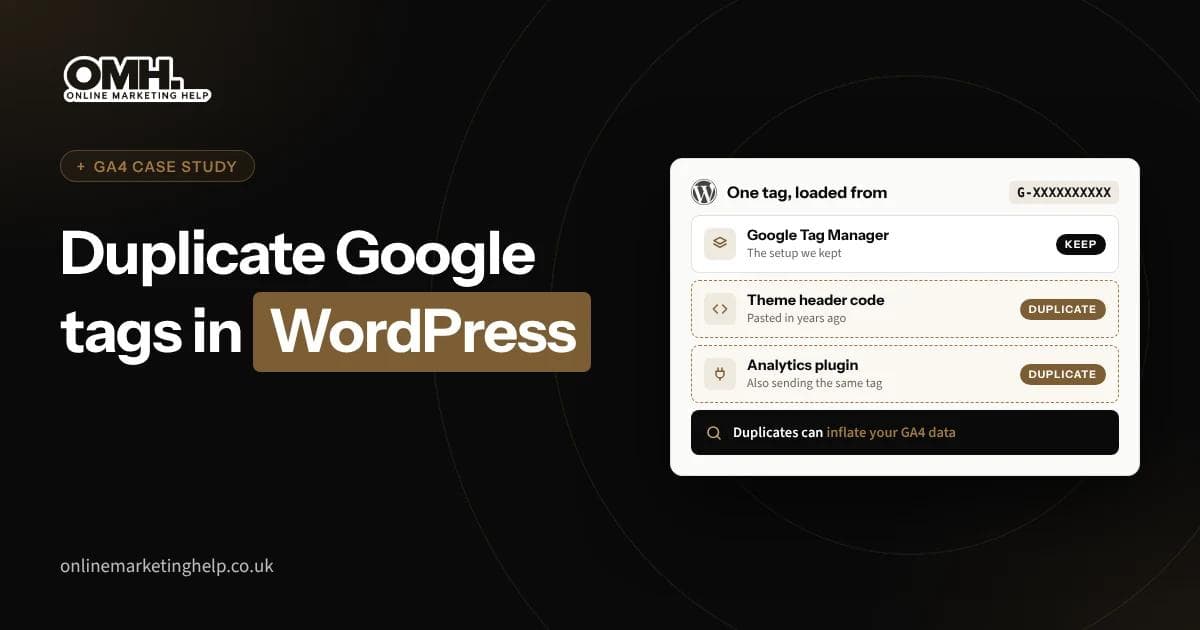
Should you delete one of the tags, remove Google Tag Manager or disable Site Kit? What happens if the change stops tracking? These were the questions behind a practical audit of a UK business website. We found multiple Google Tag Manager containers, several GA4 destinations and one GA4 destination configured both directly in a header plugin and through GTM.
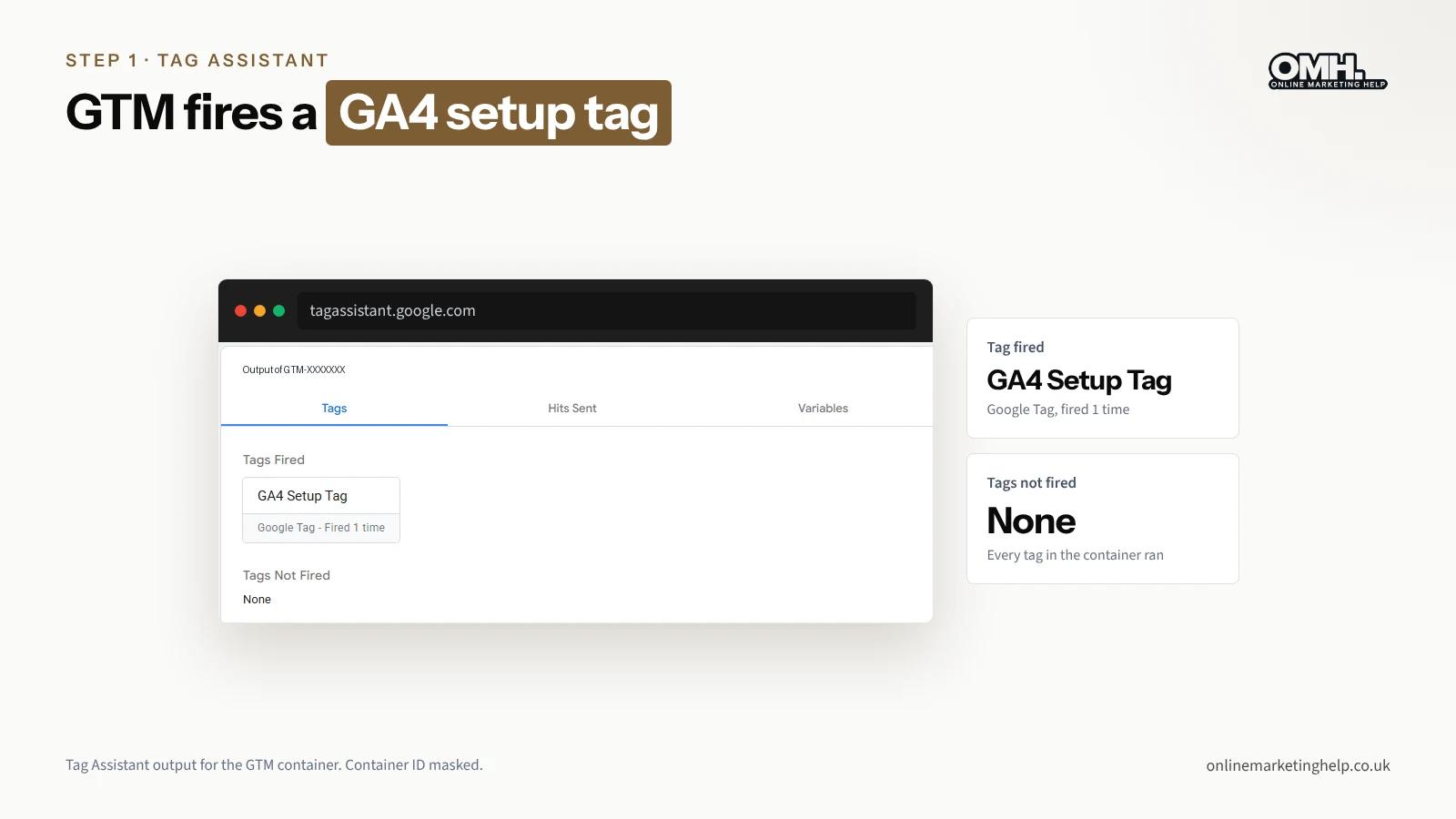
Yet Google Tag Assistant showed only one page-view hit to the primary GA4 destination in the captured tests. That is the essential distinction: duplicate configuration does not automatically prove duplicate Analytics data.
What are duplicate Google tags?
Duplicate tracking can occur when overlapping installations send the same event unnecessarily to the same Google Analytics 4 destination. A website can legitimately use several tags or multiple properties. The real concern is duplicate delivery of page views, events or conversions.
| Finding | Meaning |
|---|---|
| Several Google tags found | Could be intentional; investigate ownership and destinations |
| Same GA4 ID configured twice | Overlapping configuration; a potential risk |
| Same page_view sent twice to one GA4 ID | Possible duplicate measurement; validate event context |
The practical WordPress audit: what we discovered
The website used a WordPress header-code manager, Google Tag Manager, Google Site Kit and WPCode. Its primary GA4 property was accessible, but one additional GTM container did not appear in the account available to us. All identifiers and client details have been removed from the screenshots in this article.
| Area | Observation |
|---|---|
| Main GA4 property | Confirmed in Analytics Admin → Data streams |
| Primary GTM container | Accessible, with a Google Tag configured for the main GA4 ID |
| Additional GTM container | Detected in live HTML; account access unavailable |
| Header plugin | Standalone GA4 script and GTM loader both active |
| Site Kit | Referenced another measurement ID; connection permission warning |
| WPCode | Global Header, Body and Footer fields were empty |
Step 1: Inspect the site with Google Tag Assistant
- Visit https://tagassistant.google.com/ and connect the website.
- Accept analytics cookies where consent is required.
- Select the main GA4 destination and review the Hits Sent area.
- Compare the page_view events and note the relevant page and destination.
In our session the main destination showed one page view. That did not erase the duplicate-configuration finding; it simply meant that duplicate page-view delivery was not established by that test.
Step 2: Find the correct GA4 measurement ID
Go to Google Analytics → Admin → Data streams → Web, open the business website stream and note its measurement ID. Compare it with every G- ID detected in Tag Assistant. Confirm which property is used for reporting before you consider changing any installation.
Another ID could belong to a separate reporting property or previous provider. It should not be deleted merely because it is unfamiliar.
Step 3: Check your Google Tag Manager tag
- Open the relevant GTM workspace and select Tags.
- Open the Google Tag or GA4 Setup Tag.
- Check the Tag ID and trigger, such as All Pages.
- If the Tag ID is a variable, inspect Workspace → Variables to see its actual value.
- Use Preview to check whether the tag fires in the intended circumstances.
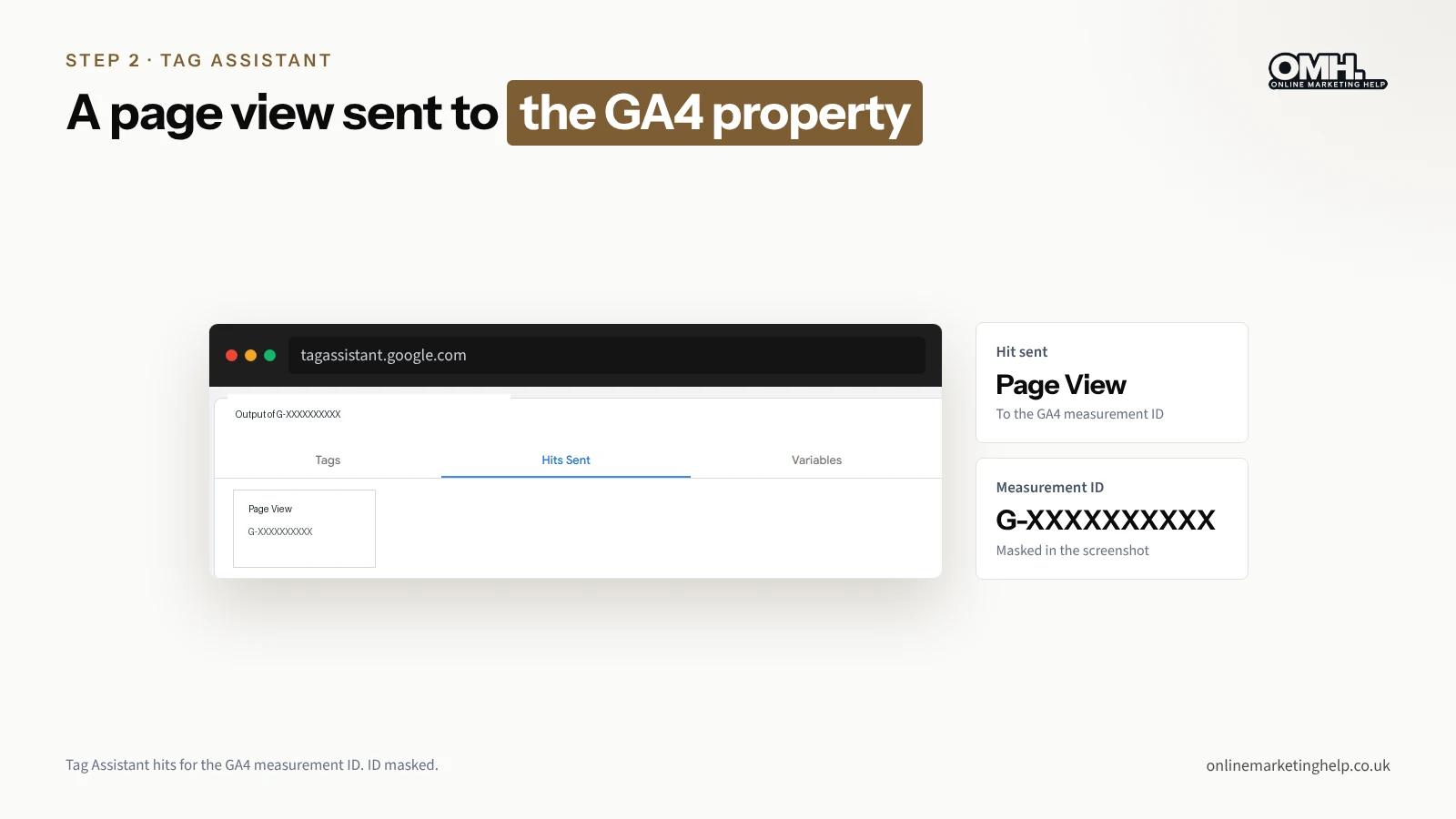
In this audit, the Google Tag was connected to the primary GA4 destination and fired once. The container-level Hits Sent panel did not list an independent hit. A fired tag is not by itself proof that two page views were delivered to GA4.
Step 4: Review WordPress header and footer code
In WordPress, check installed plugins that can insert JavaScript, including Header Footer Code Manager, WPCode, Site Kit and theme-specific script settings. An active plugin is not evidence of duplication; its actual settings and scripts matter.
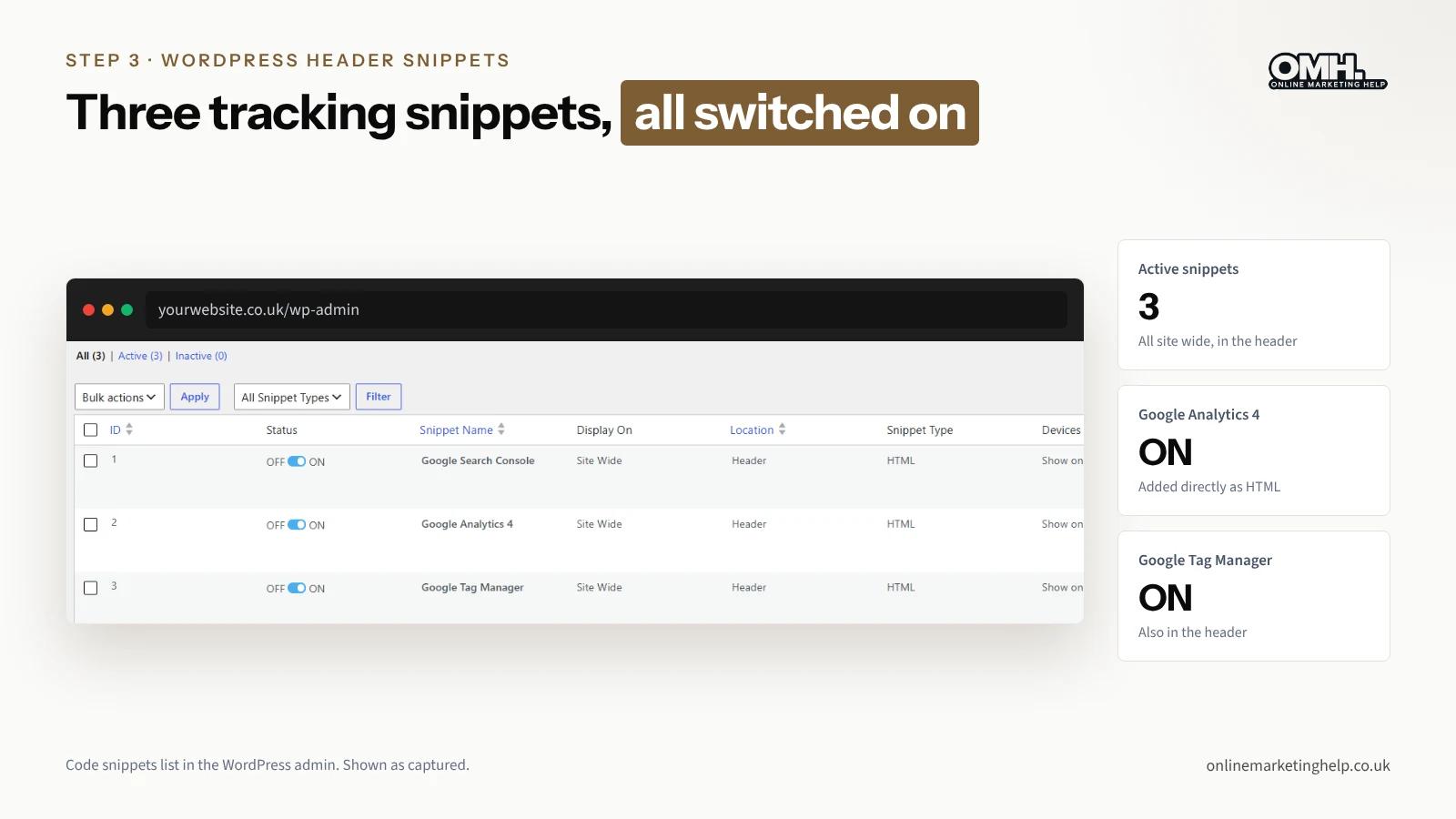
We found that Header Footer Code Manager had separate active snippets for Google Analytics 4 and Google Tag Manager, both inserted site-wide. The standalone GA4 snippet used the same destination already configured inside GTM. This established overlapping configuration.
Step 5: Audit Site Kit and WPCode
Open Site Kit → Settings → Connected Services → Analytics. Check the connected property, measurement ID, whether code insertion is enabled and whether a permissions error affects the dashboard. A Site Kit access error does not necessarily mean that browser-side tracking has failed.
Also inspect WPCode → Code Snippets and its separate Header & Footer settings. In our case, the global Header, Body and Footer code fields were empty, though other active snippets still deserved consideration. Keep the distinction between “the plugin is active” and “the plugin inserts analytics tracking”.
Step 6: Investigate an unknown GTM container
An unfamiliar GTM container can be embedded in HTML even when you cannot open it in your Google account. To locate a visible installation without hosting access, open the website, press Ctrl + U and search the source for the GTM ID.
Our source search confirmed an additional container in the HTML head. It did not identify whether a theme, plugin or wp_head hook inserted it. Because its ownership and function remained unknown, removing it would have been premature.
Step 7: Choose a single owner for the main GA4 implementation
For this site, the logical consolidation approach was to retain the accessible GTM container and test disabling the separate standalone GA4 snippet in the header-code manager. That is a recommendation, not an assertion that the change had already been completed.
Step 8: Remove redundant code safely
- Document and back up the existing snippet and tag settings.
- Confirm the main GTM Google Tag can fire and consent is configured appropriately.
- Switch off only the redundant standalone GA4 snippet, not the GTM loader.
- Purge relevant site and CDN caches, then load a clean browser session.
- Check Tag Assistant for page_view hits to the intended destination.
- Confirm a test visit in GA4 Realtime or DebugView, and test enquiry or conversion events.
- If tracking fails, restore the snippet and investigate before making further changes.
Use an appropriate consent choice when testing and avoid relying solely on a logged-in WordPress session, which may be excluded from tracking. Change only one component at a time so that failures can be traced and reversed.
Why does one page view in Tag Assistant not settle it?
Because GA4 can legitimately send more than one page_view. Google’s developer guide to measuring pageviews (last updated 26 October 2026) says page views are sent automatically, that Enhanced Measurement can send extra ones when the browser history changes, and that adding manual page views without switching the automatic ones off means “you may end up with duplicate pageviews”.
For a firmer check, open Chrome DevTools, go to Network and filter by “collect”. Each GA4 request carries tid (the measurement ID), en (the event name) and dl (the page address). Two page_view requests with the same tid and dl for one page load is a duplicate. Two on a site that changes pages without reloading may not be.
What can a tag audit tell you, and what can it not?
What it shows well
- Every Google tag and container loading on the page
- How many hits reach each GA4 destination per page load
- Which plugin settings are inserting code
- Whether your conversions still fire after a change
What it cannot tell you on its own
- Who owns a container you cannot log in to
- Whether an old property still feeds someone else’s report
- How inflated your past data was. Fixing the tag cleans your data from that day on, not the months already recorded
- Whether your consent setup is legally sound. That is a question for your privacy adviser
Which installation should own your GA4 tracking?
Pick one owner and remove the rest. If the site already runs Google Tag Manager, GTM should usually own it, because your Google Ads conversion tags tend to live there too. If GTM holds nothing else, one standalone tag or Site Kit is fine. Consistency matters more than the tool.
| Component | What we recommended |
|---|---|
| Main GTM loader | Keep, because the site's tags depend on it |
| Standalone GA4 snippet for the same ID | Back up, switch off, then retest |
| Unknown second GTM container | Leave in place until ownership is known |
| Site Kit linked to another GA4 ID | Find out why before changing anything |
| The plugins themselves | Keep. Switch off one snippet, not a whole plugin |
What do UK cookie rules mean for your Google tags?
Check consent while you are here, because a stray header snippet often fires before your cookie banner has had a say.
Analytics cookies and the new exception
Under PECR you normally need consent before setting cookies that are not strictly necessary. The ICO’s guidance on storage and access technologies, revised in 2026 to reflect the Data (Use and Access) Act 2025, now sets out an exception for analytics used only to improve your site. The conditions are strict: clear information, a free and simple way to object, aggregate results only, no tracking of individual visitors, and any third-party provider acting only as your processor.
Does Google Analytics fit that exception?
The ICO names no tool. A setup that links GA4 to Google Ads, builds audiences or profiles visitors goes beyond improving your site, and that needs consent. We are not lawyers, so unless your adviser says otherwise, keep asking for consent before GA4 and Google Ads tags load.
Where consent mode fits
Google’s consent mode passes your visitor’s choice to your Google tags, but it does not provide a banner. In basic mode, tags wait until the visitor answers. In advanced mode, they load straight away and send cookieless pings until consent is given. One GA4 tag means one place to get this right.
Test with consent in mind
Run your Tag Assistant check twice: once accepting analytics cookies, once rejecting them. With consent refused, you should see no normal GA4 hits (cookieless pings in advanced mode are expected). If full hits appear, a snippet is firing outside your consent setup, and that is often the duplicate.
What mistakes should you avoid when removing duplicate tags?
- Deleting GTM because a standalone GA4 tag exists, without checking what else GTM fires
- Treating every unfamiliar G- ID as a duplicate
- Testing only as a logged-in admin, or only with consent accepted
- Checking page views and forgetting form and Google Ads conversions
- Changing three things at once, so you cannot tell which one broke tracking
Frequently asked questions
Can duplicate Google tags inflate GA4 data?
Yes, if both copies send the same event to the same GA4 property for one page load. That can double page views and, worse, double your key events, which then skews conversion reporting and Google Ads bidding. Two tags on a page do not prove this is happening, so count the hits before deciding.
Should I use Google Tag Manager or a standalone Google tag?
Either works. Tag Manager suits sites with several tags, such as GA4, Google Ads conversions and Meta, because you manage them in one place without editing the theme or a custom WordPress build. A small site with GA4 alone can run one standalone tag. The mistake is running both for the same property.
Can Site Kit and Google Tag Manager run on the same site?
Yes. Site Kit can show your dashboards without placing any code at all. The trouble starts when Site Kit places a GA4 tag and GTM loads the same property as well. Check Site Kit’s Analytics settings, and if GTM owns your tracking, switch Site Kit’s code placement off.
Why can Tag Assistant see a GTM container I cannot open?
It is installed on the site but sits in a Google account you cannot access, often one set up by a previous developer or agency. Search the page source and DevTools to confirm where it loads, then ask whoever built the site who owns it before you remove anything.
Will fixing duplicate Google tags improve my SEO?
Not directly. Google does not rank pages on how tidy your analytics is. Removing a redundant script trims a little page weight, but the real gain is data you can trust, so your SEO and ad spend decisions rest on true numbers. Nobody can promise a ranking change from it.
Want someone to check your tracking?
We set up and repair GA4, Tag Manager and conversion tracking as part of our WordPress and Google Ads work. If your numbers look wrong, our free website audit is a sensible first step, or book a free consultation to talk it through. You can also see the work behind our case studies.
Keep reading
Related insights
SEO
Does Changing Your Domain Name Affect SEO? What Happens to Rankings and Backlinks
Changing your domain can affect SEO rankings, traffic and backlinks. Learn how to protect your SEO and recover from traffic drops.
Read articleSEO
Best AI receptionist UK: Five options compared for 2026
We compared five AI receptionists a UK business can sign up to now, with prices checked in 2026, what each one does badly, and the GDPR steps to take before you switch one on.
Read articleSEO
How to Move from .org to .com Without Losing SEO Value
Move .org to .com without losing SEO value: our step-by-step guide to URL mapping, 301 redirects, .htaccess rules and Google's Change of Address tool.
Read articleTurn useful ideas into a practical growth plan.
Tell us what you want to improve and what you have tried so far. We will help you identify the clearest next step.
What happens next
- Review the current position
- Define the commercial objective
- Agree the work and measurement
Ring it from any phone
It's set up as a fictional heating company in Leeds and answers day and night. Standard call rates apply.
The demo line is being set up.Book a demo and we'll play you one on the call.
Three things to try
- 1Book a boiler service for next week.
- 2Ask to speak to a person.
- 3Ask something it can't know, and hear how it handles it.